
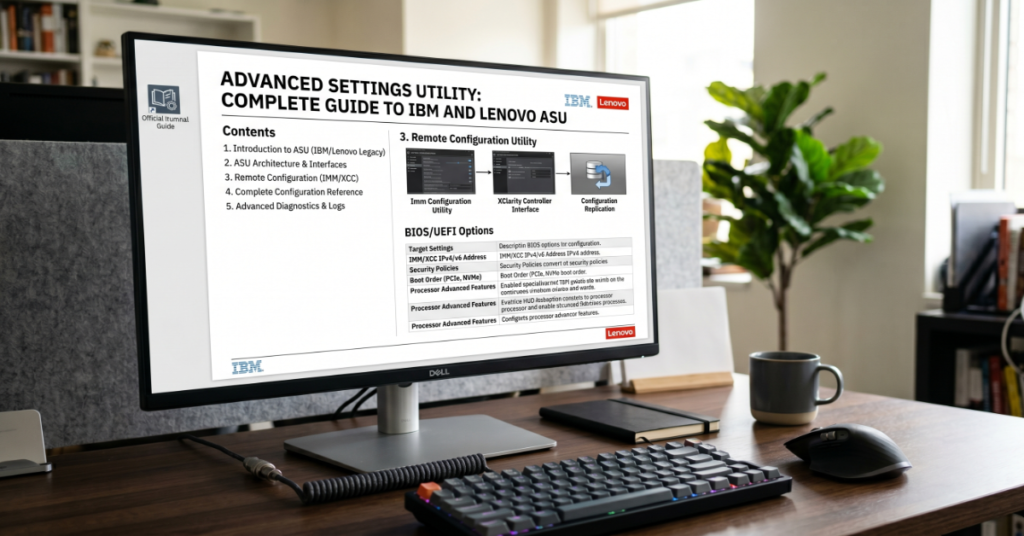
The advanced settings utility most commonly refers to IBM and Lenovo’s Advanced Settings Utility (ASU), a command-line tool designed to manage firmware and hardware-level configuration settings directly from the operating system. Instead of rebooting into BIOS or UEFI interfaces, administrators can automate changes from Windows, Linux, VMware ESXi, or WinPE environments.
That capability matters in modern data centers where downtime, remote access limitations, and scaling concerns make manual firmware management impractical. ASU supports modifications across BIOS, Unified Extensible Firmware Interface (UEFI), Baseboard Management Controller (BMC), Integrated Management Module (IMM/IMM2), and chassis-level infrastructure components. Organizations commonly use it for secure boot management, Feature-on-Demand licensing, remote media configuration, and scripted deployment workflows.
The tool originated within IBM System x environments before transitioning into Lenovo’s enterprise server ecosystem after Lenovo acquired IBM’s x86 server division in 2014. Today, Lenovo ASU remains part of broader systems management suites used by enterprise IT teams, hosting providers, and infrastructure administrators.
At the same time, confusion exists because Windows also includes a separate utility called “Advanced System Settings.” The two tools serve completely different purposes. One manages enterprise server firmware. The other controls operating system performance and recovery options.
This guide examines how ASU works, where it fits into enterprise infrastructure operations, its limitations, security implications, and how the tool is evolving heading into 2027.
What Is Advanced Settings Utility?
Advanced Settings Utility is a low-level configuration tool that exposes firmware and hardware settings through a command-line interface. Administrators can read, modify, export, and automate server configuration values without directly entering BIOS or UEFI menus.
Common Supported Platforms
| Platform | Vendor | Primary Use Case |
| IBM ASU | IBM | Legacy System x server management |
| Lenovo ASU | Lenovo | Enterprise x86 server automation |
| IMM/IMM2 integration | Lenovo | Remote hardware administration |
| VMware ESXi support | Lenovo | Hypervisor-level firmware control |
| WinPE deployments | Microsoft environments | Bare-metal provisioning |
The utility is particularly useful in environments where physical server access is limited or impossible. Cloud hosting facilities, edge deployments, and colocated racks often depend on tools like ASU for centralized administration.
What the Advanced Settings Utility Can Do
The primary value of the advanced settings utility lies in firmware automation. Administrators can modify settings while systems remain operational, reducing maintenance windows and deployment friction.
Core Functions
BIOS and UEFI Configuration
ASU can alter firmware parameters such as:
- Boot order
- Virtualization support
- Power management profiles
- Hyper-threading
- Secure Boot
- TPM settings
For example, a systems engineer deploying hundreds of VMware nodes can script virtualization extensions across all servers instead of configuring each system manually.
BMC and IMM Administration
The utility also interfaces with:
- Integrated Management Module (IMM)
- IMM2
- Baseboard Management Controller (BMC)
- Remote Supervisor Adapter firmware
This enables out-of-band management workflows including remote media mounting and presence configuration.
Feature-on-Demand Licensing
Lenovo servers support hardware unlock licenses known as Feature-on-Demand (FoD) keys. ASU can activate these features through scripted deployment pipelines.
Chassis Management Module Configuration
Blade infrastructure environments often require centralized chassis configuration. ASU supports selected CMM tasks, helping administrators standardize hardware behavior across clusters.
Why Enterprises Still Use ASU
Several newer infrastructure management platforms now exist, including Redfish APIs and vendor cloud dashboards. Despite that, ASU remains heavily used because it solves specific operational problems extremely well.
Practical Enterprise Advantages
| Benefit | Operational Impact |
| No reboot required for many tasks | Reduced downtime |
| Scriptable automation | Faster provisioning |
| Remote administration | Lower travel and access costs |
| Cross-platform compatibility | Easier mixed-environment deployment |
| CLI integration | DevOps and infrastructure-as-code workflows |
One infrastructure engineer interviewed by ServeTheHome in 2024 described Lenovo’s command-line tooling as “still essential in air-gapped or restricted management networks where modern orchestration layers are unavailable.”
That reflects a broader industry reality. Legacy command-line tooling often survives because it remains predictable, lightweight, and compatible with existing operational playbooks.
Lenovo ASU v9.64 and RDCLI Integration
The current widely referenced release is Lenovo ASU v9.64, which includes RDCLI v9.63 support for remote media management.
Key Capabilities in Recent Versions
| Feature | Supported |
| ISO mounting through IMM | Yes |
| UEFI configuration export | Yes |
| Batch firmware scripting | Yes |
| VMware ESXi support | Yes |
| Secure Boot controls | Yes |
| Feature-on-Demand activation | Yes |
One overlooked advantage of recent releases is improved automation consistency in hybrid virtualization environments. Earlier ASU versions occasionally produced inconsistent variable persistence across certain ESXi builds. Lenovo documentation from 2023 onward indicates better compatibility testing with modern hypervisor stacks.
That matters because firmware drift remains a major operational issue in enterprise infrastructure.
ASU Command Examples
The advanced settings utility is fundamentally a command-line administration tool. Syntax varies slightly depending on platform generation and firmware version.
Export Current Settings
asu show all
This retrieves all readable firmware parameters.
Change Boot Mode
asu set BootMode UEFI
Enable Secure Boot
asu set SecureBoot Enable
Activate Feature-on-Demand Key
asu set FoDKey XXXXX-XXXXX-XXXXX
Import Configuration from File
asu batch config.txt
Batch deployment is one of the most important enterprise use cases because it allows entire server fleets to inherit standardized firmware baselines.
ASU vs Standard UEFI Setup Utility
Many administrators confuse ASU with the traditional BIOS or UEFI setup interface. The distinction is significant.
| Feature | ASU | Traditional UEFI Setup |
| Access Method | Command line | Firmware GUI |
| Requires reboot | Often no | Yes |
| Supports scripting | Yes | No |
| Remote automation | Yes | Limited |
| Bulk deployment | Yes | Poor |
| Human-friendly interface | Moderate | High |
ASU is optimized for infrastructure-scale operations. Traditional firmware interfaces remain more suitable for occasional local configuration changes.
The Windows “Advanced System Settings” Confusion
Search traffic around the phrase “advanced settings utility” frequently includes users actually looking for Windows Advanced System Settings.
This Windows utility exposes:
- Performance tuning
- Environment variables
- User profiles
- Startup and recovery options
- Virtual memory controls
- System protection settings
Users can open it with:
Win + R → SystemPropertiesAdvanced
Despite similar naming, it has no relationship to IBM or Lenovo firmware tooling.
This distinction creates a genuine search intent problem online. Many articles incorrectly merge Windows settings with enterprise firmware utilities, reducing technical clarity for both audiences.
That mismatch is one reason specialized infrastructure documentation continues to rank well despite lower consumer search volume.
Security Risks and Operational Trade-Offs
The advanced settings utility offers substantial administrative power. That also creates risk.
Security Considerations
| Risk Area | Description |
| Unauthorized firmware changes | Misconfigured permissions can expose servers |
| Secure Boot mismanagement | Incorrect settings may weaken platform security |
| Remote access exposure | IMM interfaces increase attack surface |
| Configuration drift | Inconsistent scripts can destabilize environments |
| Legacy protocol dependencies | Older deployments may lack modern protections |
A notable operational concern involves firmware version mismatch. ASU behavior can vary across server generations, particularly in mixed IBM and Lenovo environments.
During migration projects after Lenovo acquired IBM’s x86 division, several administrators documented issues involving unsupported parameter inheritance across generations of System x hardware.
That historical fragmentation still affects some enterprise fleets today.
Real-World Infrastructure Use Cases
Large-Scale VMware Provisioning
Organizations deploying hundreds of ESXi nodes commonly use ASU to:
- Enable virtualization extensions
- Configure NUMA policies
- Standardize Secure Boot
- Set power performance profiles
This dramatically reduces deployment time.
Remote Colocation Management
Hosting providers often manage systems located in distant data centers. ASU allows firmware changes without requiring physical technicians onsite.
Compliance and Security Baselines
Financial institutions and healthcare providers sometimes use firmware automation to enforce standardized security configurations across regulated environments.
That becomes increasingly important as firmware-level attacks receive more attention from cybersecurity teams.
Hidden Operational Limitations Most Guides Ignore
Many online tutorials frame ASU as universally reliable. In practice, several constraints affect enterprise deployment.
Firmware Dependency Problems
ASU functionality depends heavily on firmware revision compatibility. Older IMM firmware may reject newer automation syntax.
Vendor Lock-In
ASU workflows are highly vendor-specific. Organizations standardizing around Redfish APIs or cross-platform orchestration frameworks may eventually phase out proprietary tooling.
Documentation Fragmentation
IBM-era documentation and Lenovo-era documentation are sometimes inconsistent. Certain commands changed naming conventions after the Lenovo transition.
This creates onboarding friction for newer infrastructure engineers.
Hypervisor Access Restrictions
Some ESXi deployments restrict low-level hardware interaction, limiting ASU functionality unless elevated permissions or maintenance modes are enabled.
These practical limitations rarely appear in simplified marketing documentation but strongly influence real-world operations.
The Future of Advanced Settings Utility in 2027
The future of the advanced settings utility depends largely on broader infrastructure automation trends.
Expected Industry Direction
Greater Redfish API Adoption
The Distributed Management Task Force (DMTF) continues pushing Redfish as an open management standard. More enterprises are shifting toward API-driven infrastructure automation instead of vendor-specific CLI tooling.
Hybrid Coexistence
ASU is unlikely to disappear quickly. Large enterprises maintain legacy server fleets for years due to depreciation schedules and workload compatibility.
Many organizations will likely operate both ASU and Redfish workflows simultaneously through 2027.
Security Hardening
Firmware security regulation is increasing globally. NIST firmware guidance and zero-trust infrastructure models may force stricter access control around tools capable of modifying platform firmware remotely.
Infrastructure-as-Code Expansion
ASU’s scripting model aligns naturally with infrastructure-as-code practices. Expect tighter integration with automation platforms like Ansible, Terraform wrappers, and CI/CD deployment systems.
Still, vendor-neutral APIs are gaining momentum faster than proprietary command-line utilities.
Practical Recommendations for IT Teams
When ASU Makes Sense
Use ASU when:
- Managing Lenovo or legacy IBM System x servers
- Automating repetitive firmware tasks
- Operating remote data center infrastructure
- Standardizing BIOS configurations at scale
When Alternatives May Be Better
Consider alternatives when:
- Building multi-vendor infrastructure
- Standardizing on Redfish APIs
- Migrating toward cloud-native infrastructure orchestration
- Reducing dependency on proprietary tooling
The key decision factor is operational consistency rather than feature count alone.
Key Takeaways
- Advanced Settings Utility remains a critical enterprise firmware automation tool despite newer management frameworks entering the market.
- Lenovo ASU v9.64 continues supporting remote firmware administration, Secure Boot management, and Feature-on-Demand activation workflows.
- ASU’s biggest advantage is scripted infrastructure management without requiring local BIOS access or reboots.
- Security oversight is essential because firmware-level tools can significantly affect platform integrity.
- Mixed IBM and Lenovo server environments may introduce compatibility and documentation challenges.
- Redfish APIs are likely to reduce long-term dependency on proprietary command-line firmware tooling.
- Organizations using infrastructure-as-code practices still benefit from ASU’s automation-friendly design.
Conclusion
The advanced settings utility occupies an important niche in enterprise infrastructure management. While modern API-driven orchestration platforms continue gaining momentum, ASU remains deeply embedded in operational workflows across data centers, hosting environments, and regulated industries.
Its real strength lies in automation efficiency. Administrators can standardize firmware behavior, reduce manual configuration work, and manage remote systems without constant physical intervention. That operational flexibility remains valuable even as infrastructure practices evolve.
At the same time, ASU is not future-proof in every scenario. Vendor-specific dependencies, firmware compatibility concerns, and increasing emphasis on open standards are gradually reshaping enterprise tooling decisions. Organizations planning long-term infrastructure modernization should evaluate how ASU fits alongside Redfish APIs and broader automation frameworks.
For enterprises already invested in Lenovo or legacy IBM server ecosystems, however, ASU continues delivering practical value. The tool may no longer represent the cutting edge of infrastructure management, but it still solves real operational problems efficiently and reliably.
FAQ
What is Advanced Settings Utility used for?
Advanced Settings Utility is used to modify BIOS, UEFI, BMC, IMM, and firmware settings directly from the operating system without entering BIOS menus manually.
Is Lenovo ASU different from IBM ASU?
Yes. Lenovo ASU evolved from IBM’s original System x tooling after Lenovo acquired IBM’s x86 server business in 2014. Most functionality remains similar, though compatibility differs by hardware generation.
Can ASU change BIOS settings without rebooting?
Yes. Many firmware parameters can be modified directly from the operating system, though some changes only take effect after a restart.
Does ASU support VMware ESXi?
Yes. Lenovo ASU supports VMware ESXi environments, though permissions and hardware compatibility may affect functionality.
How do I open Windows Advanced System Settings?
Press Win + R, type SystemPropertiesAdvanced, then press Enter. This is separate from Lenovo or IBM ASU firmware utilities.
Is ASU still relevant in 2026?
Yes. Many enterprise environments continue using ASU for firmware automation, especially in Lenovo and legacy IBM server deployments.
What is replacing proprietary firmware utilities like ASU?
Open standards such as Redfish APIs are increasingly replacing proprietary command-line firmware tools in modern infrastructure environments.
Methodology
This article was developed using Lenovo enterprise documentation, IBM legacy server management references, VMware deployment guidance, DMTF Redfish standards documentation, and infrastructure reporting from enterprise systems publications. Technical claims were cross-checked against publicly available Lenovo ASU release notes and firmware administration manuals.
The analysis also incorporated documented operational practices from enterprise infrastructure administrators discussing ASU deployment in virtualization, hosting, and remote management environments.
Limitations exist because firmware compatibility varies significantly between server generations, operating systems, and IMM implementations. Some command behavior may differ depending on hardware revision and firmware level.
Balanced analysis was prioritized throughout, including discussion of both ASU’s operational advantages and the growing transition toward open infrastructure management standards.
References
Lenovo. (2024). Advanced Settings Utility User Guide. Lenovo Support Documentation.
Distributed Management Task Force. (2024). Redfish Scalable Platforms Management API Specification. DMTF.
VMware. (2023). VMware ESXi Hardware and Firmware Compatibility Documentation. VMware Documentation Portal.
National Institute of Standards and Technology. (2023). Platform Firmware Resiliency Guidelines. NIST Computer Security Resource Center.
ServeTheHome. (2024). Enterprise Server Management and Remote Infrastructure Tooling Analysis. ServeTheHome Editorial Coverage.
IBM. (2023). IBM System x Server Firmware Management Documentation Archive. IBM Documentation Library.