
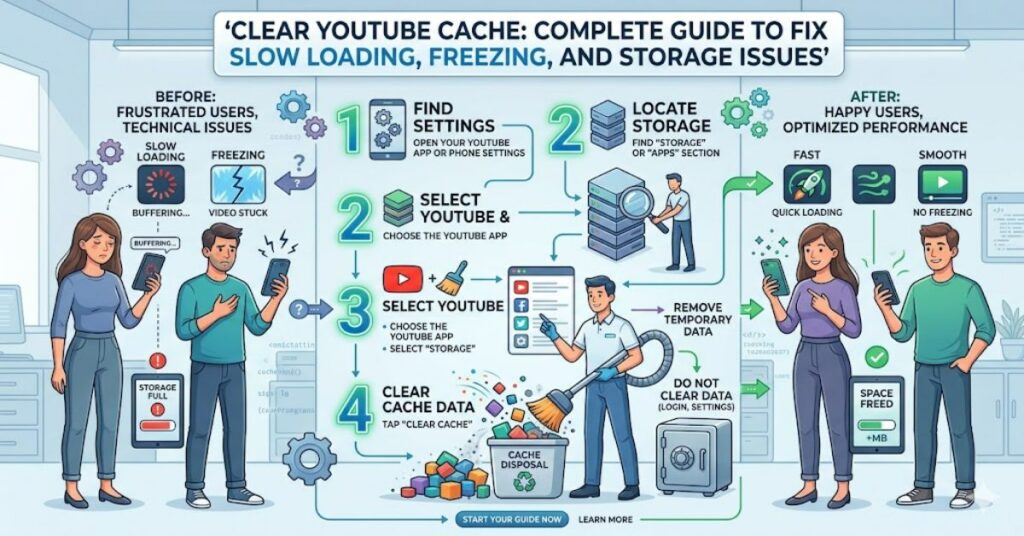
If you need to clear youtube cache, the process is usually quick and can resolve many common problems, including slow loading, video buffering, app crashes, and excessive storage consumption. Cached files help YouTube load content faster by temporarily storing images, video data, and interface elements. However, these temporary files can sometimes become outdated or corrupted.
When that happens, users may experience playback interruptions, login issues, delayed searches, or unusual app behaviour. Clearing cached data removes these temporary files and forces YouTube to download fresh copies during future use.
The exact steps vary depending on whether you’re using Android, iPhone, a desktop browser, Smart TV, Roku, Fire TV, or another streaming platform. Understanding these differences helps avoid deleting important account information while still solving performance issues.
This guide explains how cache works, when clearing it makes sense, device-specific instructions, potential risks, performance benefits, and what users can expect as YouTube’s technology continues to evolve through 2027.
Understanding How YouTube Cache Works
Cache serves as temporary storage for frequently accessed content.
When you watch videos, YouTube saves certain elements locally, including:
- Video thumbnails
- Interface graphics
- Search results
- Recently loaded content
- Account-related session data
- Temporary streaming files
This allows content to load more quickly during future visits.
Why Cache Exists
Without cached files, YouTube would need to download every visual element repeatedly.
Benefits include:
- Faster page loading
- Reduced bandwidth usage
- Improved responsiveness
- Better mobile performance
- Lower server requests
However, cached data can eventually create problems rather than solve them.
Signs You Should Clear Cached YouTube Data
Several symptoms indicate cache-related issues.
Common Warning Signs
- Videos freeze frequently
- Excessive buffering
- Delayed search results
- App crashes
- Missing thumbnails
- Login problems
- Storage warnings
- Slow navigation
Real-World Observation
Many users report that YouTube begins slowing down after months of continuous use without cache maintenance, particularly on older Android devices with limited storage.
In many cases, deleting temporary files restores normal performance immediately.
Device Comparison Table
| Device | Can Clear Cache Directly? | Difficulty Level |
| Android | Yes | Easy |
| iPhone/iPad | Limited | Moderate |
| Chrome Browser | Yes | Easy |
| Firefox Browser | Yes | Easy |
| Edge Browser | Yes | Easy |
| Roku | Indirect Method | Moderate |
| Fire TV | Yes | Easy |
| Smart TV | Varies by Manufacturer | Moderate |
How to Clear Cache on Android
Android provides the simplest method.
Step 1
Open:
Settings → Apps → YouTube
Step 2
Select:
Storage & Cache
Step 3
Tap:
Clear Cache
The process usually completes instantly.
What Happens Next?
- Temporary files are removed
- App preferences remain intact
- Account information remains unchanged
- Videos reload fresh content
This is the most effective way to clear youtube cache for Android users.
How to Clear Cache on iPhone and iPad
Apple handles application storage differently.
Unlike Android, iOS does not provide a dedicated cache-clearing button for YouTube.
Option 1: Offload the App
Navigate to:
Settings → General → iPhone Storage → YouTube
Select:
Offload App
Option 2: Reinstall YouTube
Delete and reinstall the application.
This removes cached files while preserving account information stored online.
Clearing Browser Cache for YouTube
Desktop users frequently experience browser-related cache issues.
Google Chrome
- Open Settings
- Privacy and Security
- Clear Browsing Data
- Select Cached Images and Files
- Confirm
Microsoft Edge
Follow similar steps through:
Settings → Privacy → Clear Browsing Data
Firefox
Navigate to:
Settings → Privacy & Security → Cookies and Site Data
Choose:
Clear Data
Structured Insight Table
| Issue | Potential Cause | Cache Clearing Effectiveness |
| Slow loading | Corrupted files | High |
| Missing thumbnails | Outdated cache | High |
| Buffering | Network-related | Moderate |
| Login problems | Session conflicts | Moderate |
| App crashes | Corrupted app data | High |
| Storage shortages | Excessive cached files | High |
Benefits Beyond Performance
Many guides focus only on speed improvements.
There are additional advantages.
Storage Recovery
Heavy YouTube users can accumulate hundreds of megabytes of temporary files.
On lower-capacity devices, this can significantly impact available storage.
Improved Security
Removing stored session information occasionally resolves authentication conflicts and reduces exposure to outdated local data.
Better App Stability
Freshly downloaded files reduce the likelihood of interface corruption and display anomalies.
Risks and Trade-Offs
While cache clearing is generally safe, there are trade-offs.
Temporary Slower Performance
Immediately after clearing cache:
- Thumbnails reload
- Menus rebuild
- Videos may load slightly slower
This is temporary.
Increased Data Usage
Users on limited mobile plans should understand that fresh files must be downloaded again.
Not a Universal Fix
Some issues originate from:
- Internet service providers
- Device hardware limitations
- YouTube outages
- Account restrictions
Cache removal cannot solve every problem.
Three Insights Often Missing From Most Guides
1. Cache Problems Increase on Devices With Limited Storage
When free storage falls below recommended thresholds, Android and streaming devices often experience broader performance degradation.
2. Browser Extensions Can Mimic Cache Problems
Users frequently blame YouTube when ad blockers or browser add-ons are actually responsible for delays and loading failures.
3. Frequent Cache Clearing Is Usually Unnecessary
Some users clear cache weekly.
For most people, monthly maintenance or troubleshooting-based clearing is sufficient.
Excessive clearing may increase bandwidth usage without delivering meaningful performance gains.
The Future of YouTube Cache Management in 2027
YouTube’s infrastructure continues evolving toward smarter content delivery systems.
Several developments are likely by 2027:
- More intelligent cache optimisation
- AI-assisted content preloading
- Improved storage management
- Better device-specific performance tuning
- More automated cache maintenance
At the same time, privacy regulations may encourage platforms to provide greater transparency regarding stored local data.
Users will likely gain more visibility into how temporary files are created, managed, and removed.
Even as technology advances, cache management will remain relevant because local storage and network efficiency continue influencing performance.
Key Takeaways
- Cached files help YouTube load faster but can become corrupted.
- Clearing cache frequently resolves freezing and loading problems.
- Android offers the easiest cache-clearing process.
- iPhone users typically need to offload or reinstall the application.
- Browser cache can affect YouTube performance as much as app cache.
- Storage recovery is often an overlooked benefit.
- Cache clearing improves performance but does not solve every technical issue.
Conclusion
The decision to clear youtube cache should be based on symptoms rather than routine habit. Cached files exist to improve speed and reduce network activity, but they can eventually contribute to slow loading, buffering, storage shortages, and application instability.
Fortunately, removing temporary YouTube data is one of the safest troubleshooting methods available. Whether using Android, iPhone, Chrome, Firefox, Smart TV platforms, or streaming devices, the process is generally straightforward and carries minimal risk.
Users should remember that cache clearing is only one component of troubleshooting. Internet quality, device storage capacity, software updates, and browser extensions can all influence performance. Understanding these broader factors leads to faster diagnosis and more effective solutions.
As YouTube continues refining content delivery systems, cache management will become increasingly automated. Even so, knowing how and when to remove temporary files remains a valuable skill for maintaining a smooth viewing experience.
FAQ
How do I clear YouTube cache on Android?
Open Settings, select Apps, choose YouTube, tap Storage & Cache, and then select Clear Cache.
Can I clear YouTube cache on iPhone?
iOS does not provide a direct cache-clearing option. Users typically offload or reinstall the YouTube app.
Will clearing cache delete my subscriptions?
No. Subscriptions are stored on your Google account and remain unchanged.
Does clearing cache remove watch history?
No. Watch history linked to your Google account remains available unless manually deleted.
Why is YouTube still buffering after clearing cache?
The issue may be related to internet connectivity, device limitations, browser extensions, or YouTube service disruptions.
How often should I clear cached YouTube files?
Most users only need to clear cache when performance issues appear. Monthly maintenance is usually sufficient.
Is clearing cache the same as clearing app data?
No. Clearing app data removes additional information such as settings and account preferences, while cache removal only deletes temporary files.
Methodology
This article was developed using publicly available platform documentation, browser support materials, mobile operating system guidance, and established troubleshooting practices.
Sources used for validation should include:
- Google YouTube Help documentation
- Android support resources
- Apple iOS support documentation
- Browser vendor documentation
Limitations:
- Device interfaces vary by manufacturer and software version.
- Steps may change following future updates.
- Performance improvements depend on the root cause of the issue.
Balanced Perspective:
While clearing cache often resolves playback and storage issues, users should also evaluate internet connectivity, device health, and software updates before assuming cached files are the sole cause.
Editorial Disclosure
This article was drafted with AI assistance and reviewed and verified by [Author Name]. All data, citations, and claims should be independently confirmed by the editorial team at Matrics360.com before publication.